
Automated Meeting Notes Aren’t the Goal: Build a Reliable Meeting-to-Action Workflow
Meetings, Spreadsheets & Reporting
Filed under
Meetings, Spreadsheets & Reporting
Published
Turn meeting notes into decisions, owners, due dates, follow-up, and visible exceptions so the conversation produces action instead of another forgotten summary.
A transcript is not a completed meeting workflow.
Neither is an AI summary. Both can be useful, but the business still needs to know what was decided, what remains open, who owns each action, when it is due, and what should happen when the information is incomplete.
For owners and managers moving between client conversations, properties, venues, field work, and vendors, that gap is where commitments disappear.
A reliable meeting-to-action system begins before the meeting and ends only when the next actions are visible and reviewed.
The complete loop
Use this sequence:
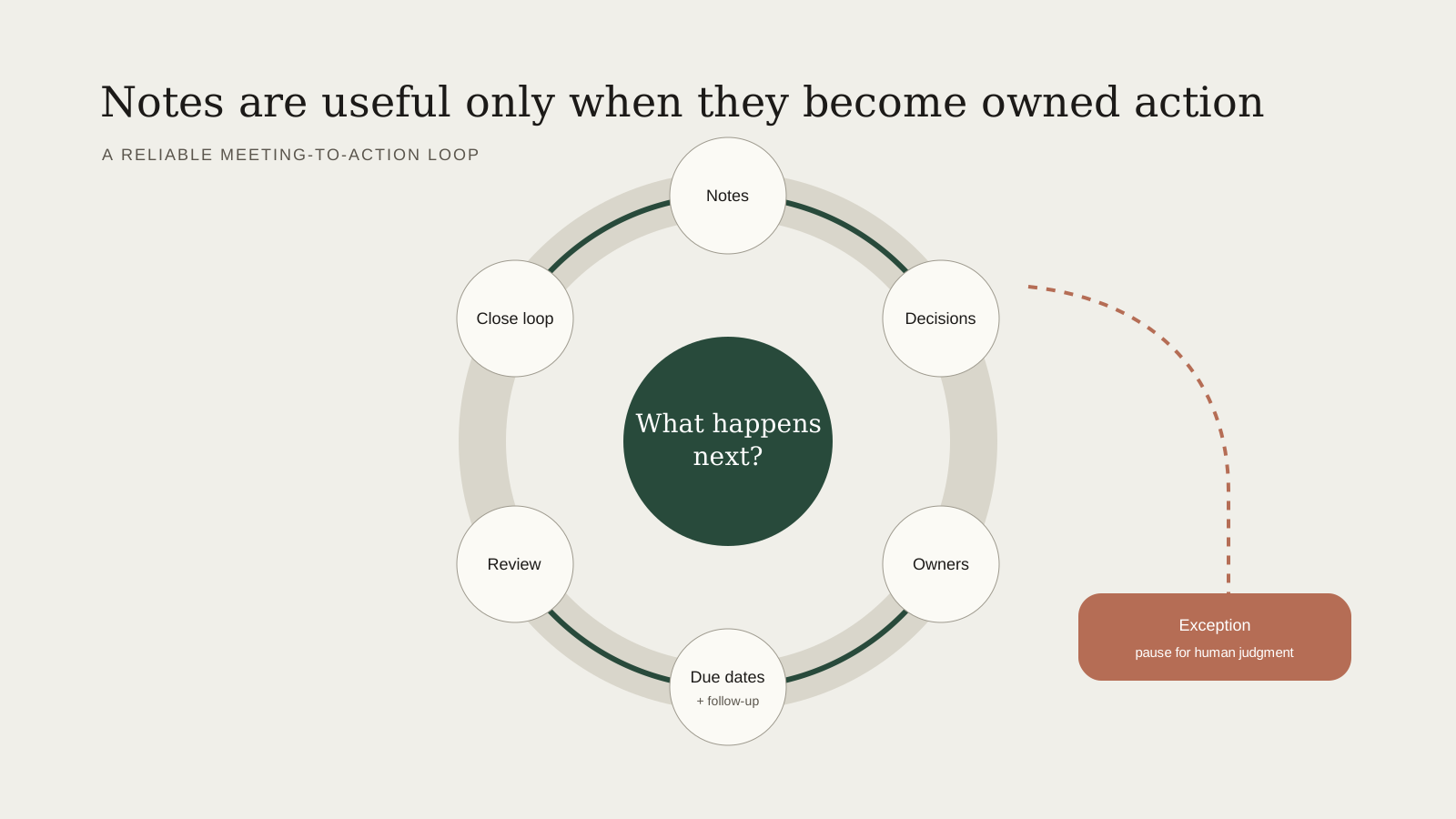
Prepare → capture → identify decisions → assign owners → set due dates → follow up → review
An exception path should be available at every stage for sensitive information, conflicting facts, unclear ownership, or a decision that requires qualified approval.
1. Prepare the relevant context
Meeting preparation should not require searching through the entire inbox.
Assemble only what supports the conversation:
Client or project name
Purpose of the meeting
Current status
Recent commitments
Open questions
Relevant dates, locations, and documents
Decisions that need to be made
Suggested questions
Use approved sources and show where important details came from. If the calendar and a planning document disagree, surface the conflict before the meeting rather than silently choosing one.
Dale uses an AI-assisted process in his photography business to assemble relevant calendar information and suggested client questions before calls. He reports that it can reduce his preparation from roughly 10–15 minutes to one or two minutes. That estimate remains founder-reported and should be validated through repeated measurement before it is used as a public performance claim.
The publishable lesson is the workflow pattern: gather the right context, verify it, and put the unresolved decisions in front of the person who will lead the conversation.
2. Capture the meeting appropriately
Choose the capture method based on privacy, consent, and usefulness.
Options include structured notes, an approved recording and transcript, or a short form completed during or immediately after the meeting. Do not record by default merely because the tool can. Confirm consent and applicable requirements, minimize sensitive information, and define how long recordings or transcripts are retained.
For many meetings, structured notes are enough.
3. Separate decisions from discussion
Meeting summaries often describe what people talked about without stating what changed.
Create distinct sections for:
Decisions made
Actions assigned
Questions still open
Risks or conflicts
Information required
Items intentionally deferred
This prevents a long summary from hiding the few lines that matter operationally.
4. Give every action one owner
An action should contain:
A clear verb
One current owner
A due date or review date
The relevant project or client
A completion condition
“Team to review proposal” is weak. “Dale reviews the revised scope and approves or returns comments by Thursday at 2:00 p.m.” is actionable.
Several people may contribute, but one current owner keeps the task visible.
5. Put actions in the system of record
Do not leave action items trapped in the transcript or summary email.
Move them into the tool the team already uses to manage work: a project system, CRM, approved spreadsheet, task list, or calendar. Avoid creating a second hidden task system merely because the meeting tool offers one.
The summary should link to the action record, and the action record should retain enough meeting context to be understandable.
6. Draft the follow-up from approved facts
The system can prepare a follow-up message that includes decisions, responsibilities, due dates, and open questions. A person should review any client-facing version, especially when it includes commitments, prices, scope, sensitive information, or unresolved disagreement.
The reviewer should be able to trace important details back to the meeting record or approved source.
7. Review open actions—not only sent summaries
Sending the recap is not the end.
Create a short review point:
Which actions are overdue?
Which are blocked?
Which owner changed?
Which open question affects the next client step?
Did the client or team correct any part of the recap?
This closes the loop and improves the preparation for the next meeting.
A practical meeting record
Use a structure like this:
Meeting
Client or project
Date and participants
Purpose
Source links
Decisions
Decision
Approver
Effective date
Actions
Action
Owner
Due date
Completion condition
Open questions and exceptions
Missing information
Conflicting information
Required approval
Next review date
Follow-up
Draft prepared
Human reviewer
Sent date
Corrections received
What AI can assist with
AI can help gather approved background, draft questions, organize notes, identify possible actions, format a recap, and surface missing owners or due dates.
It should not invent a decision, assign responsibility without confirmation, conceal uncertainty, or make consequential commitments on behalf of the business.
The useful test is simple: does the system make responsibility and the next action clearer?
Start with one meeting type
Choose a repeated meeting such as a client-planning call, weekly operations review, project handoff, or vendor coordination meeting. Define its preparation packet, decisions, action format, review owner, and completion record. Test ordinary and difficult examples.
Once that loop works, adapt it to the next meeting type. Do not begin by recording every conversation in the company.
Map your meeting-to-action system or explore Meetings, Spreadsheets & Reporting.
Related resources
Written by
Dale Mitchell
Founder, Aspen Workflow Company
Aspen-area business owner with approximately 20 years of hands-on website and digital-business experience, including operations, marketing, email systems, spreadsheets, SEO, photography, and videography.
Related service
